.png?width=140&height=37&name=BLAZE-Logo-Blue%20(2).png)
Herbie utilizes data from BLAZE POS and Blaze Product Recommendations to bring real time information to your customers.
How to Enable Herbie:
Reach out to ECOM Support at ECOMsupport@blaze.me to begin the setup process and get Herbie live on your menu.
How to find Herbie?
Herbie will be located in the bottom right corner of your ECOM Menu menu once enabled. 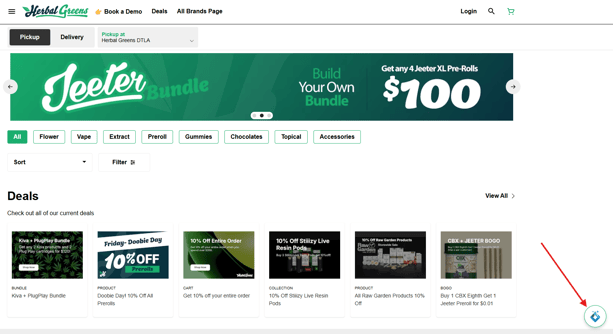
Once you click the icon pictured above you will be greeted by Herbie in the chat window.
Talking with Herbie and examples of questions:

💡Customers who are signed in will be greeted personally by name by Herbie
You can ask questions directly in the chat window or utilize a preset prompt.
In my example below I used the "Whats trending right now?" Prompt and was presented the best selling items in the location. 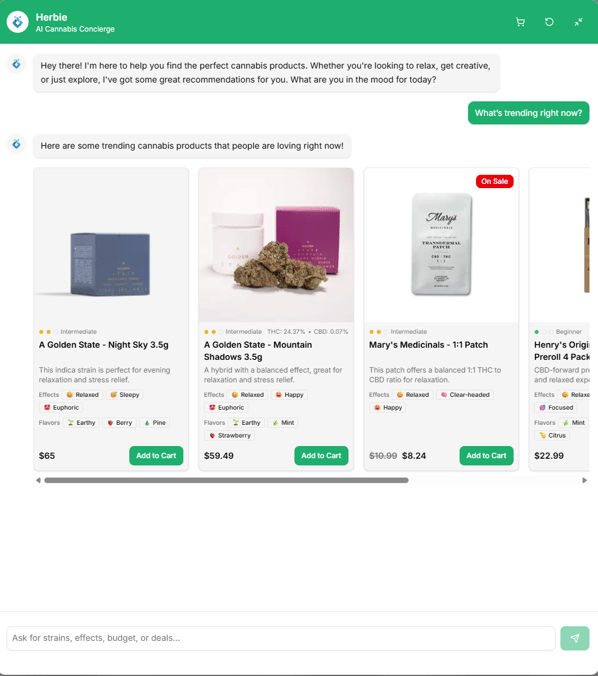
What about product questions? 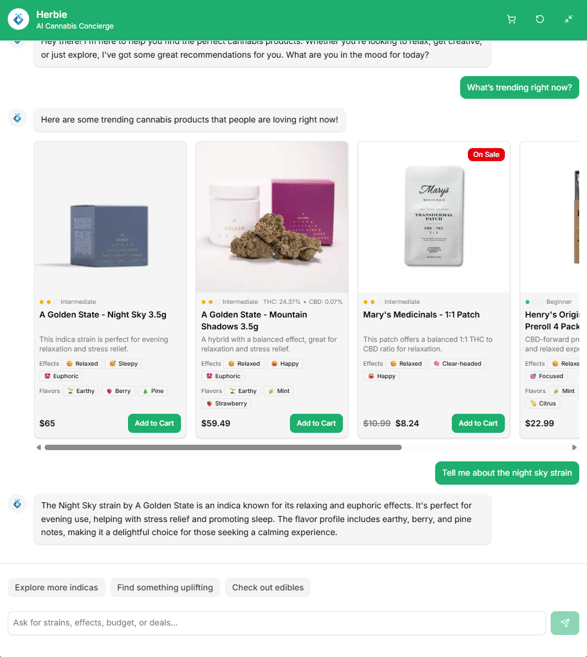
Herbie can even help customers get into another product category while keeping in mind that I would like something similar to the above product.
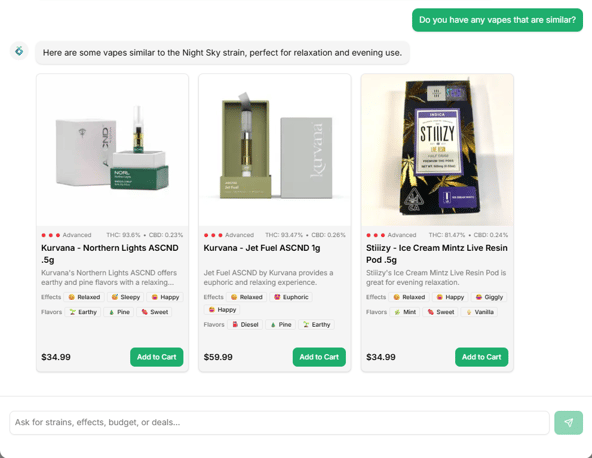
Utilizing BLAZE ECOMs Enriched Product Catalogue, Herbie can provide a more informed shopping experience to your customers, and help really get what they are looking for just like if they walked inside your store.
Contact BLAZE ECOM Support to get started.