.png?width=140&height=37&name=BLAZE-Logo-Blue%20(2).png)
To enable Cookie Notifications on your site:
-
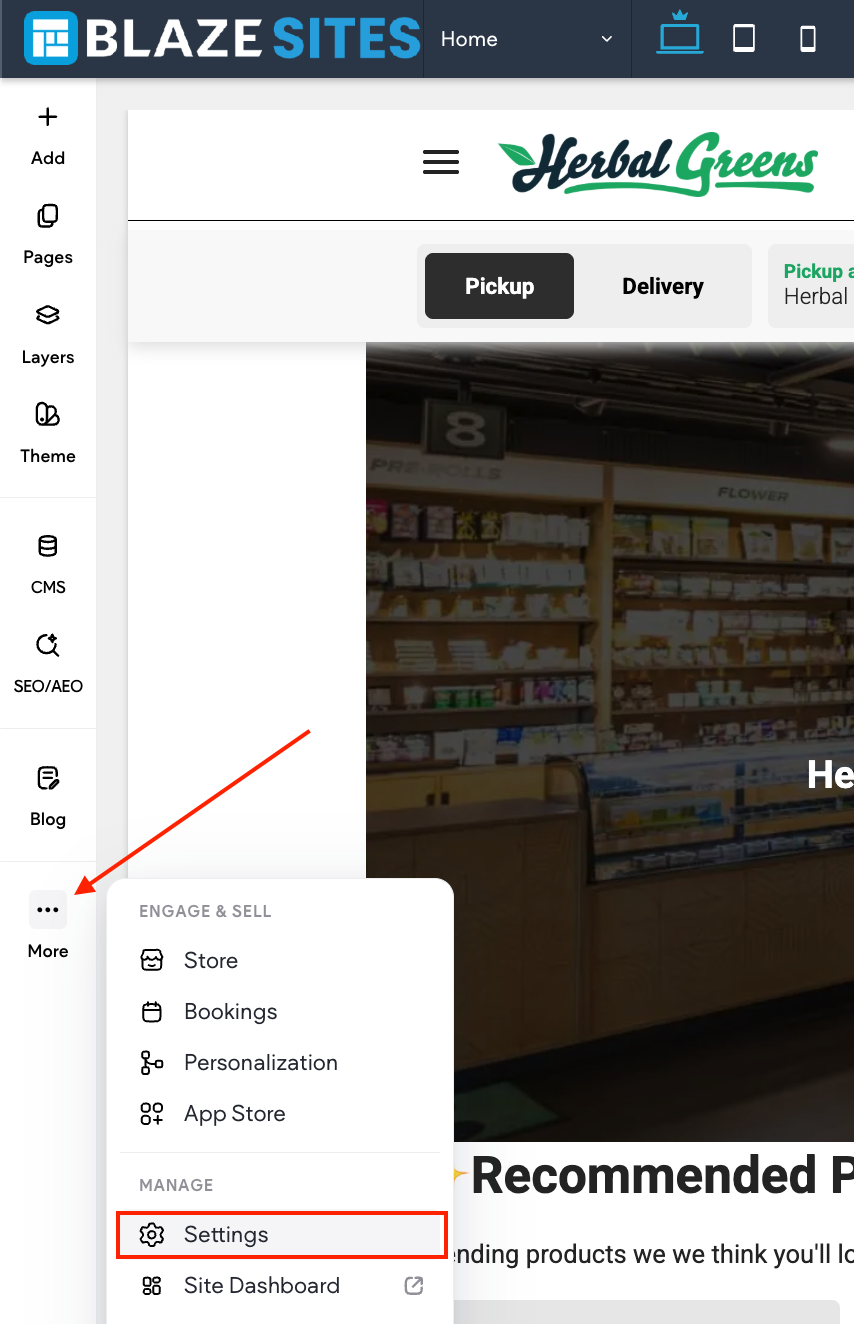
In the side panel, click More, then click Settings.
-
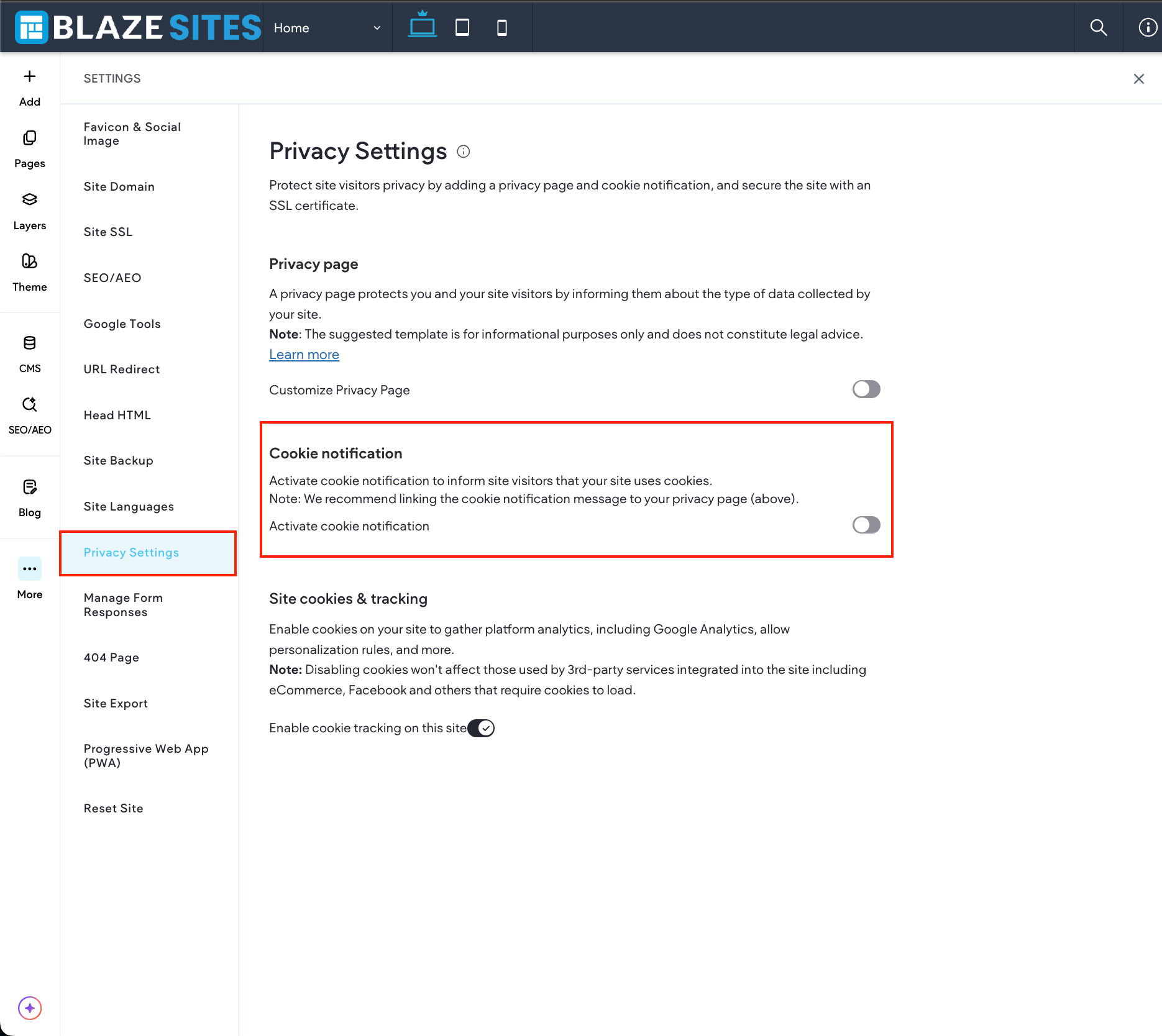
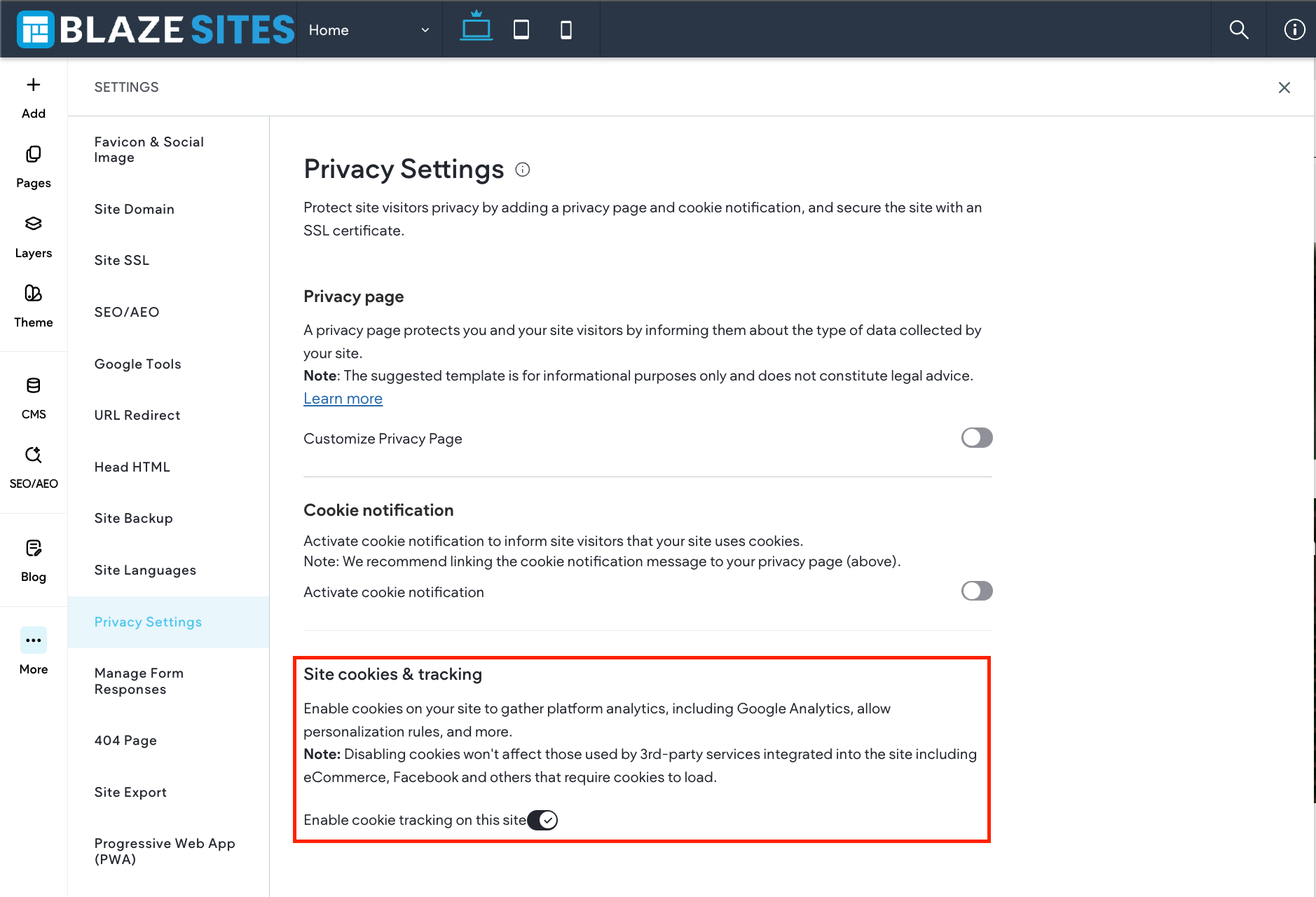
Click Privacy Settings.
-
Click the Activate cookie notification toggle.
Every visitor to your site will see a notification that the information about their site visit is collected in the form of cookies.

-
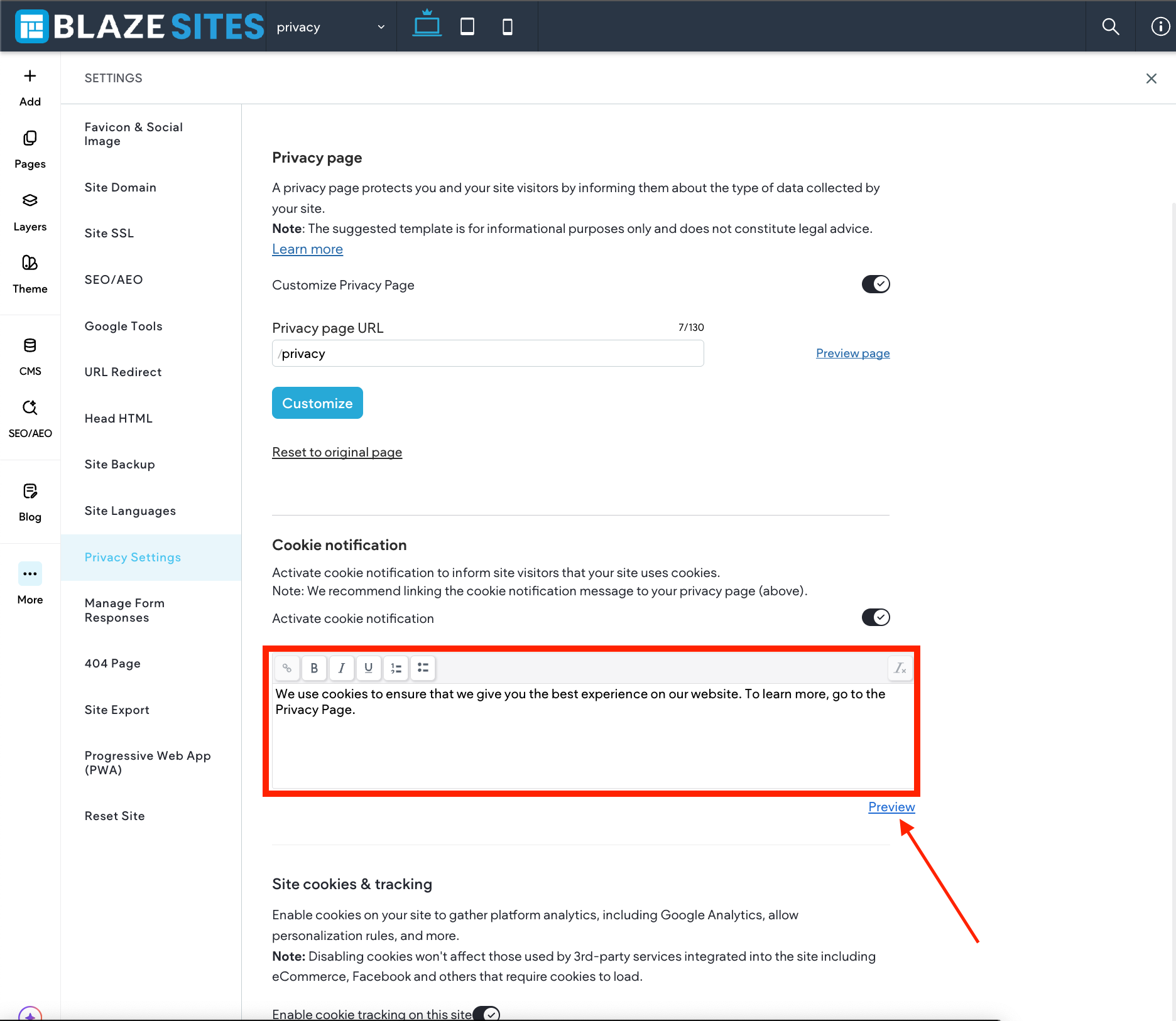
Click Preview notification in order to preview the cookie notification on all devices. Where the cookie notification appears differs between editor versions:
-
The cookie notification is sticky and displays at the top of the page without covering page content.
-
You can choose to use default text for the cookie notification or customize it. The text field is free text and you may add any text or links to it.
-
Note: Do not use the Notification Bar personalization action after enabling the Cookie Notification. The Cookie Notification takes priority and covers the notification bar.
Disable the use of cookies sent to site visitors by the site. This disables platform analytics, including Google Analytics and the default platform analytics, and also prevents personalization rules from adding cookies.
Note
Third-party services (or widgets that include them) such as Facebook and Twitter still set cookies, as they are required to load the widgets.
To disable the use of cookies, in the side panel click Settings, click Privacy Settings, and then click the Enable cookie tracking on this site toggle (by default, this setting is on).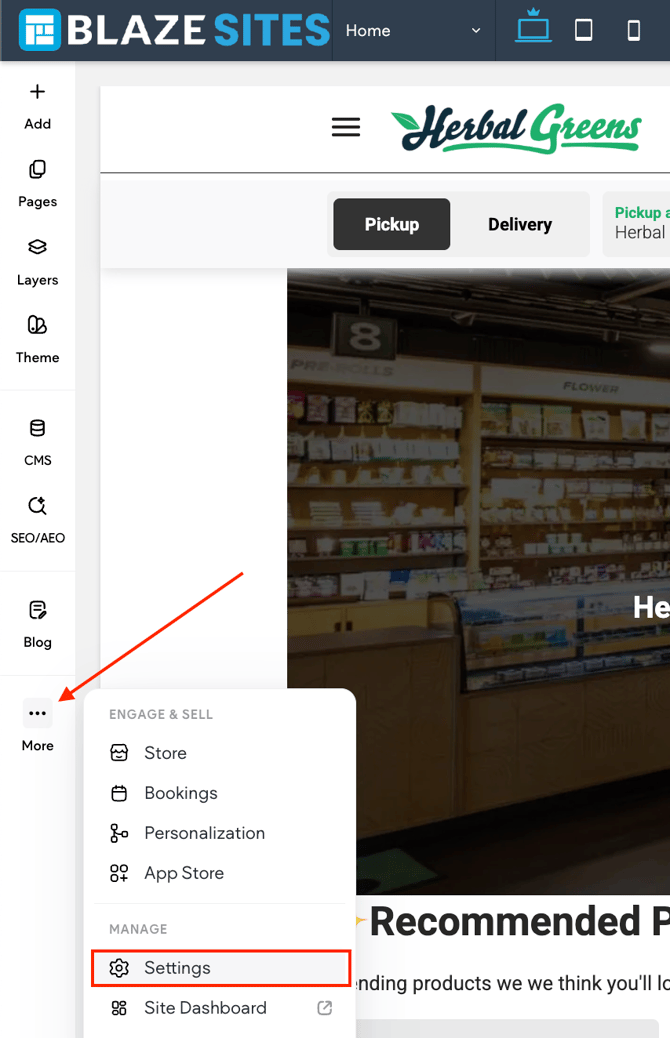
Disabling tracking cookies will stop stats collection for your site, as well as any tracking code you have added (for example, Facebook tracking pixels).
Check the legal requirements in the country of your target audience regarding cookie notifications, the form of the notification, and relevant links to add to the text of the notification. BLAZE is not responsible for configuring cookies or privacy policy pages.